Free car logbook · Windows, web and phone
Every service, every mile, before anything is due.
Odivo keeps your cars' services, repairs, fill-ups and mileage in one place, and reminds you before something is due. It's yours alone: no account, and your garage stays on your devices or in your own OneDrive.
- Free to use
- Code-signed for Windows
- Works on your phone
- No account
- Syncs through your own OneDrive
Everything about your cars' upkeep, in one place.
Know what's done, what's due, and how far you've driven, for every car you own.
Your showroom
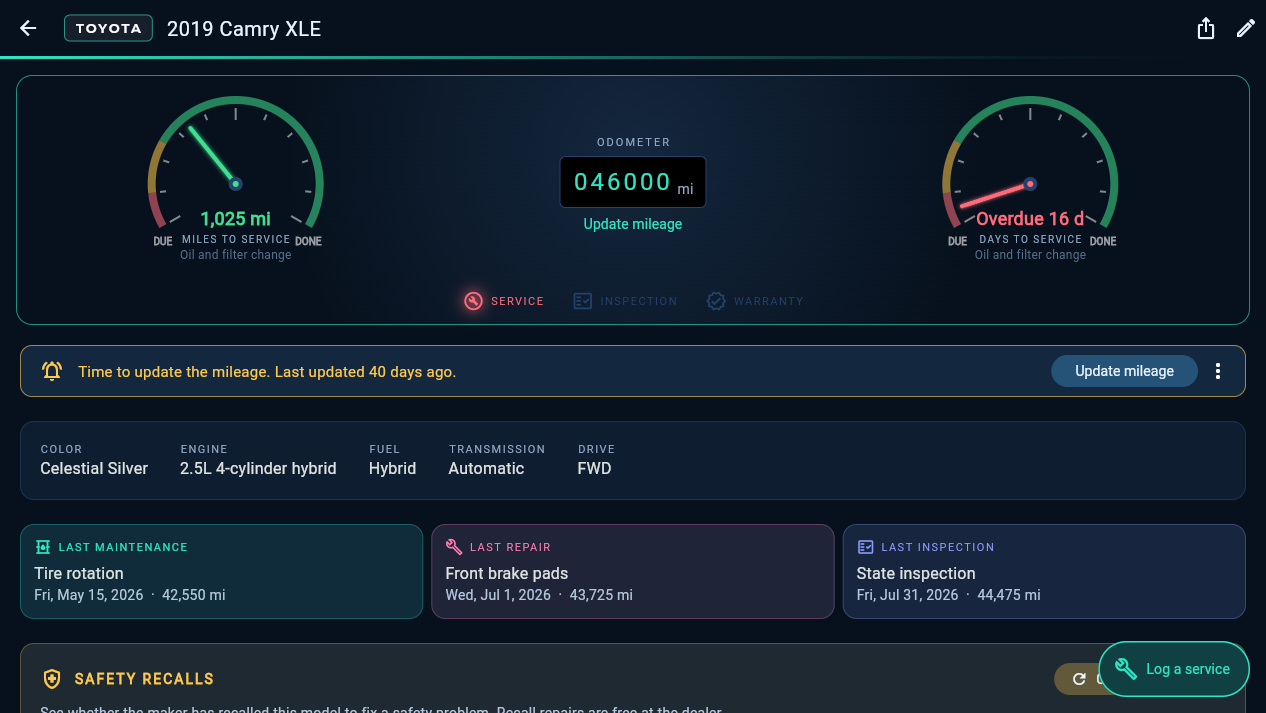
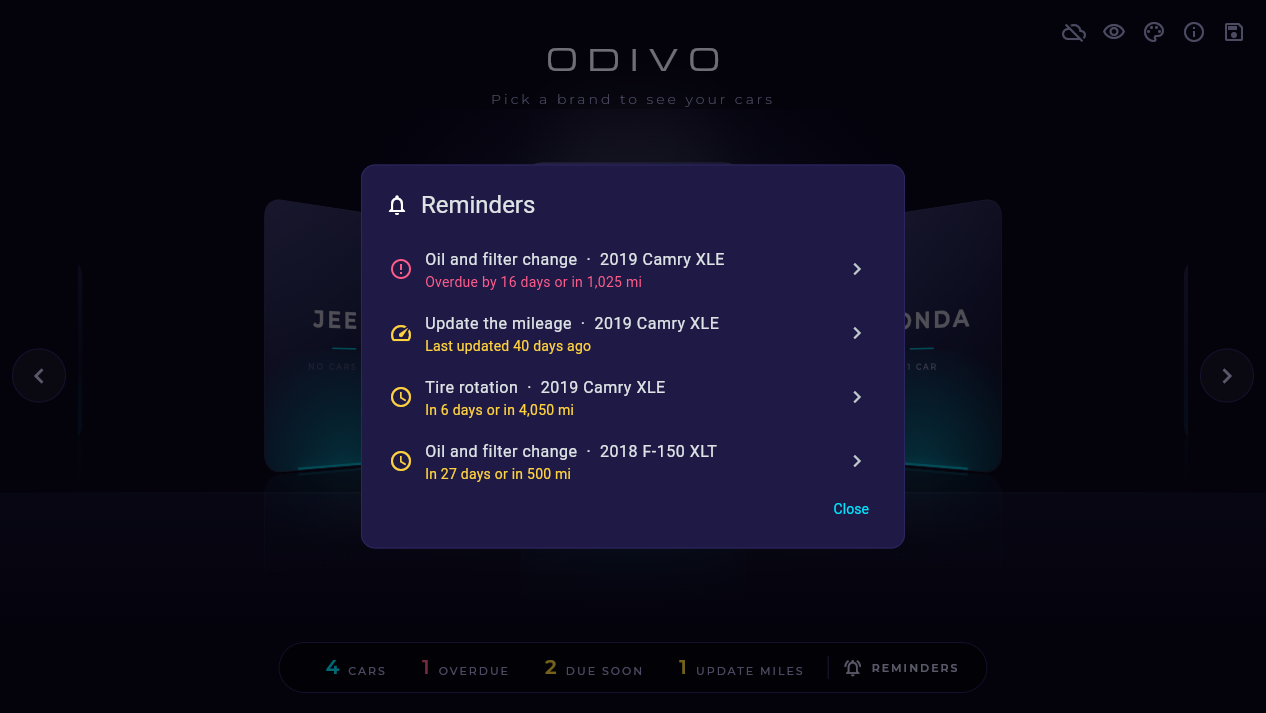
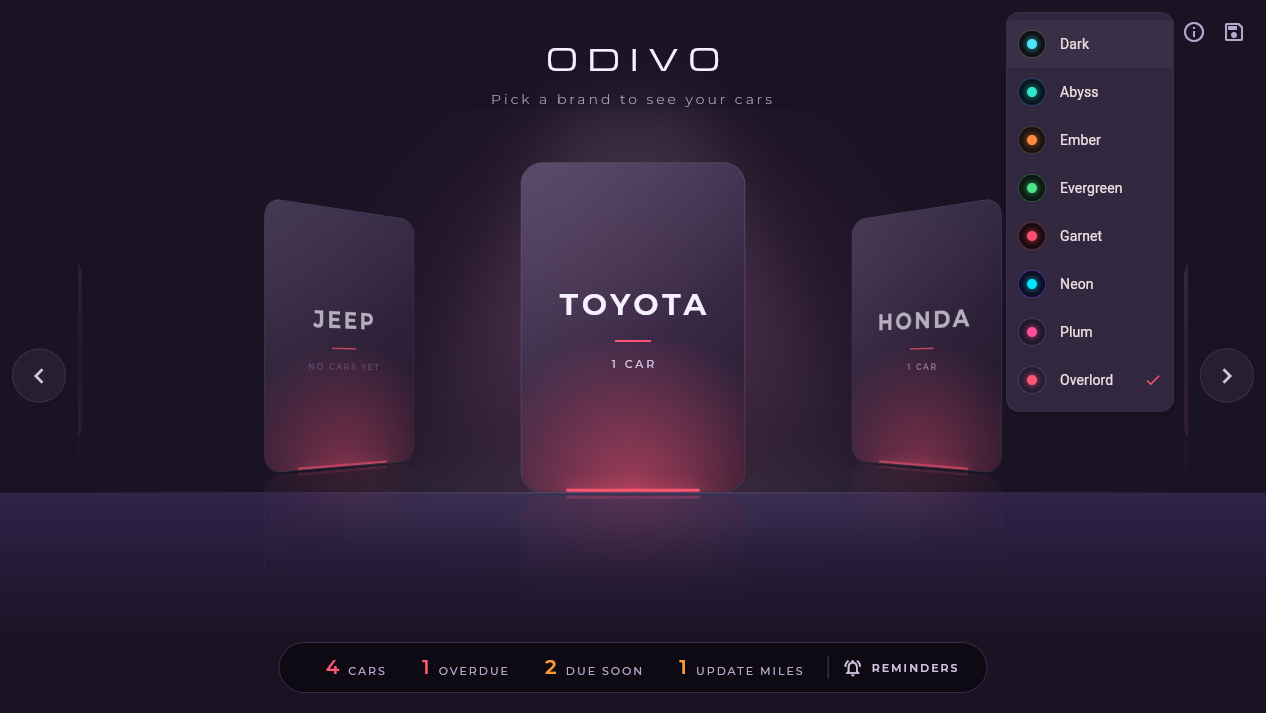
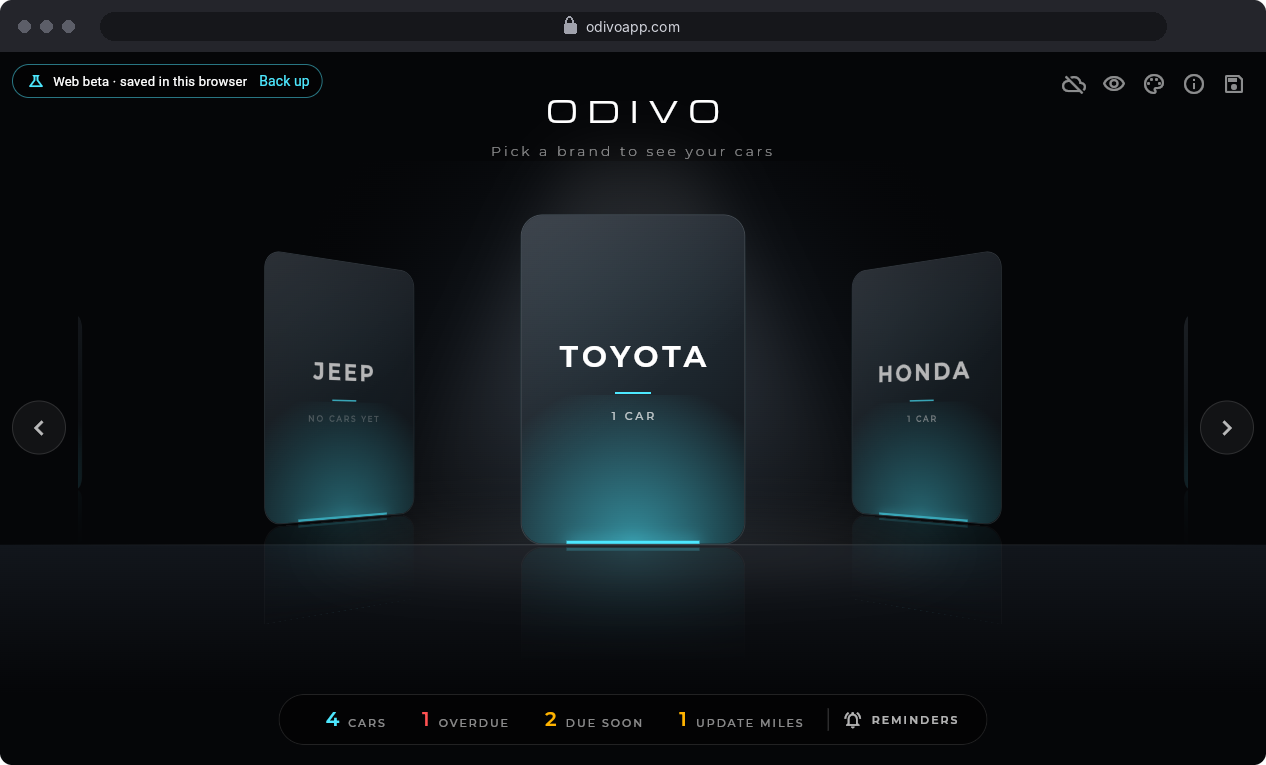
Glass brand cards in a lit showroom. Pick a brand to see its cars, with counts of cars, overdue and due-soon services along the bottom.
Service log
Log services, repairs and inspections with the date, mileage, cost, shop, warranty and notes. Search your history by word or type of service.
What's due
Dashboard gauges for miles and days to the next service: red is overdue, amber is due soon, green is fine. A reminders list puts what's overdue first.
Fuel and costs
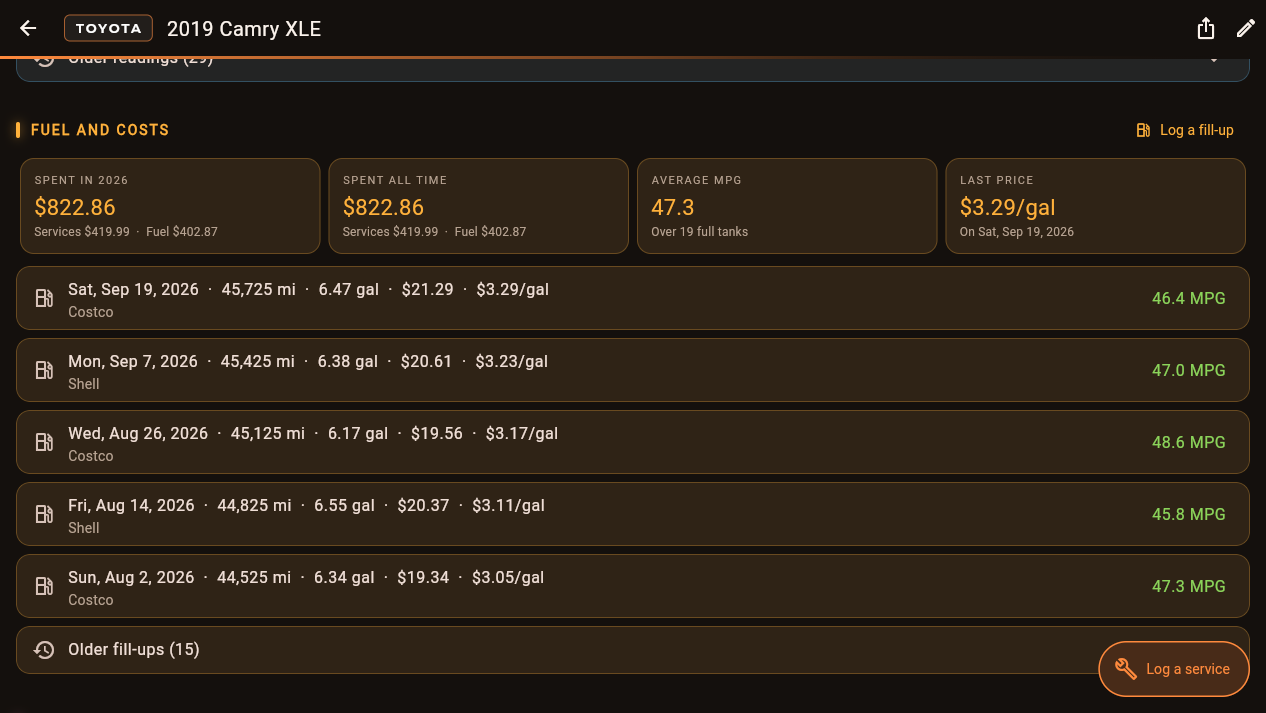
Log fill-ups and see your MPG, the last price per gallon, and what each car costs you this year and all time.
Reminders and mileage
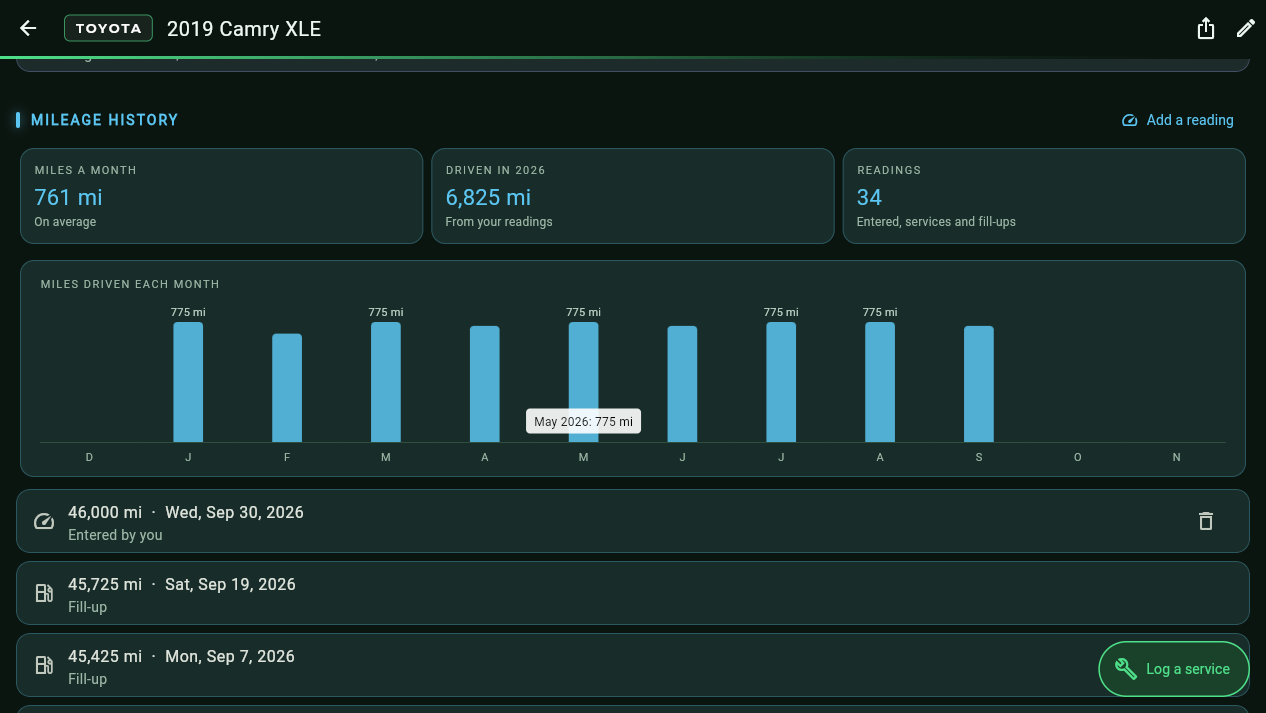
Windows pop-ups before something is due, a nudge when it's time to update the mileage, and miles driven each month as bars.
VIN, recalls and documents
Fill in a car's details from its VIN, check for safety recalls (US cars), and attach receipts, photos and PDFs. Backups fit in one file.
New · Vehicle history PDF
Selling your car? Hand the buyer its whole story.
Open the Export menu on a car's page and Odivo makes a clean PDF of everything you've logged, ready to print or send. A car with its records in order is an easier sale.
- The car's details, odometer and what you've spent on upkeep
- The maintenance schedule, and warranties still in effect
- Mileage by year and the full service history, newest first
SERVICE HISTORY
| Date | Mileage | Service or part |
|---|---|---|
| Jul 31, 2026 | 44,475 mi | State inspection |
| Jul 1, 2026 | 43,725 mi | Front brake pads |
| May 15, 2026 | 42,550 mi | Tire rotation |
| Feb 3, 2026 | 39,800 mi | Oil and filter change |
Windows app + odivoapp.com
Your PC and your phone, one garage.
Odivo also runs in your browser at odivoapp.com, on any phone or computer. Snap a receipt at the shop and it's on your PC when you get home. On an iPhone, tap Share › Add to Home Screen to open it like an app.
- Turn on sync on each deviceClick the cloud icon in the showroom, then Connect OneDrive, and sign in with your Microsoft account.
- Your garage goes only to your OneDriveInto one folder, Apps › Odivo. Odivo can't see anything else there, and there's no Odivo server in between.
- It keeps itself in stepWhen the app opens, a few seconds after each change, and every 5 minutes while it's open. Offline? It catches up when you're back.
Sync is a mirror, not a backup. Deleting a car on one device deletes it everywhere, so keep making a backup now and then. How sync works
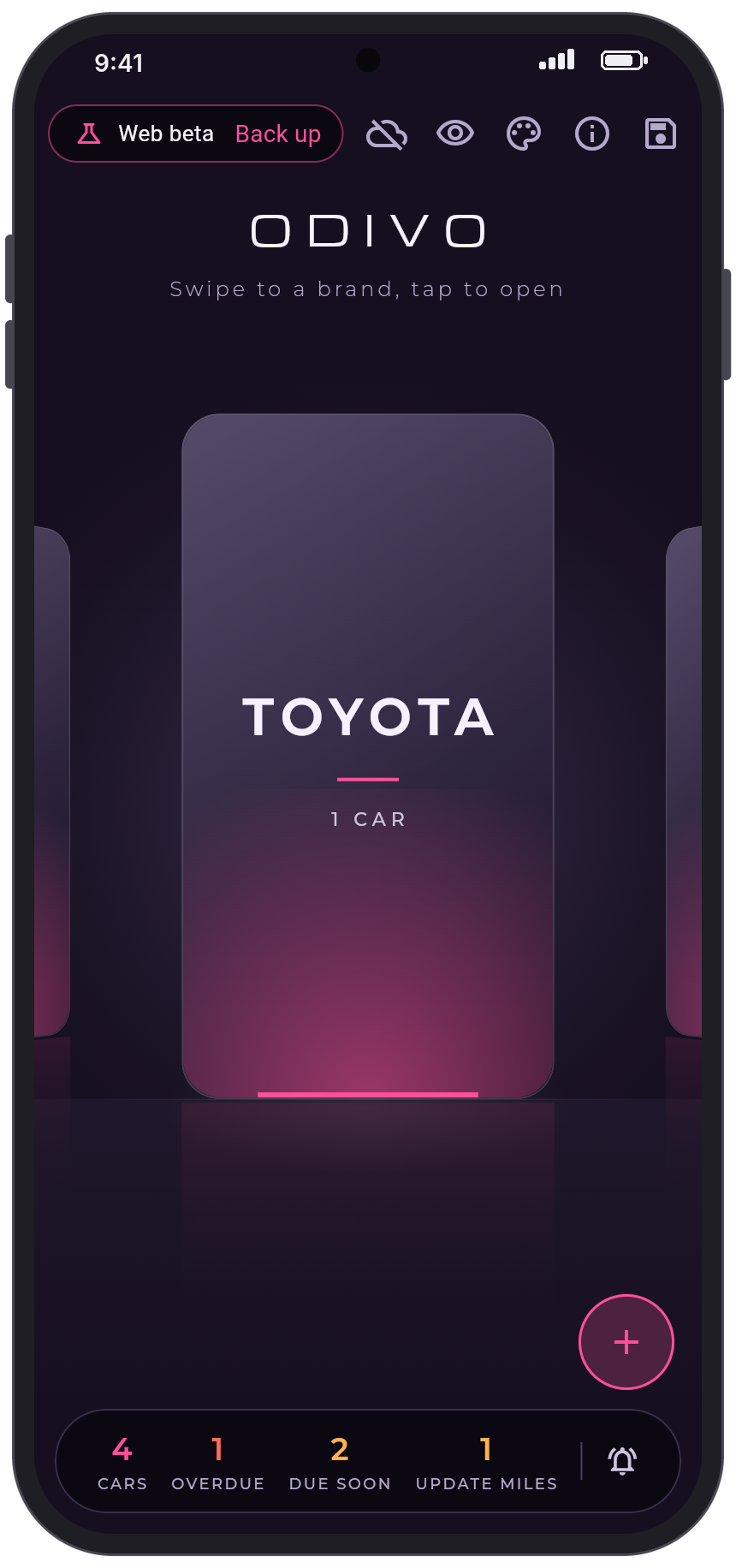
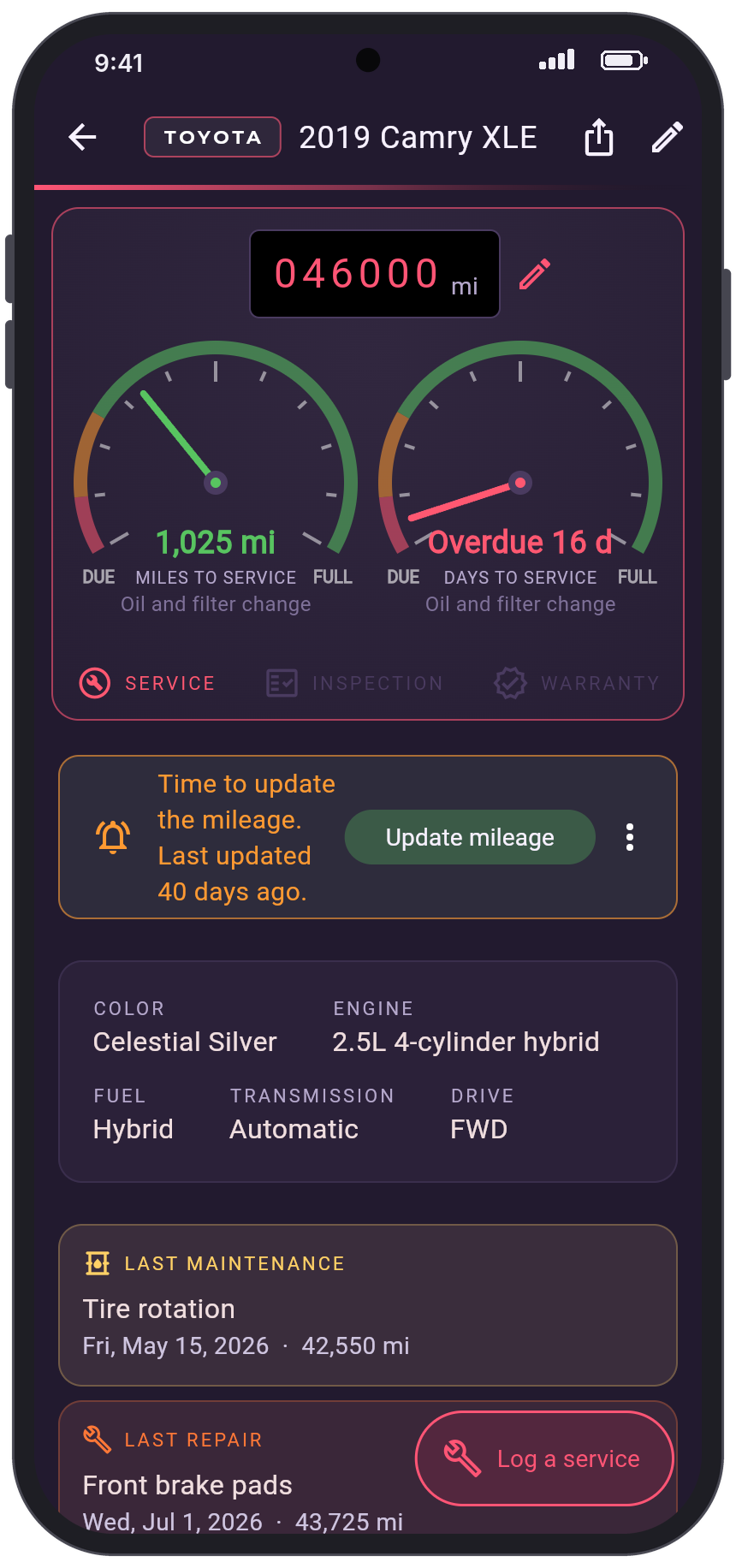
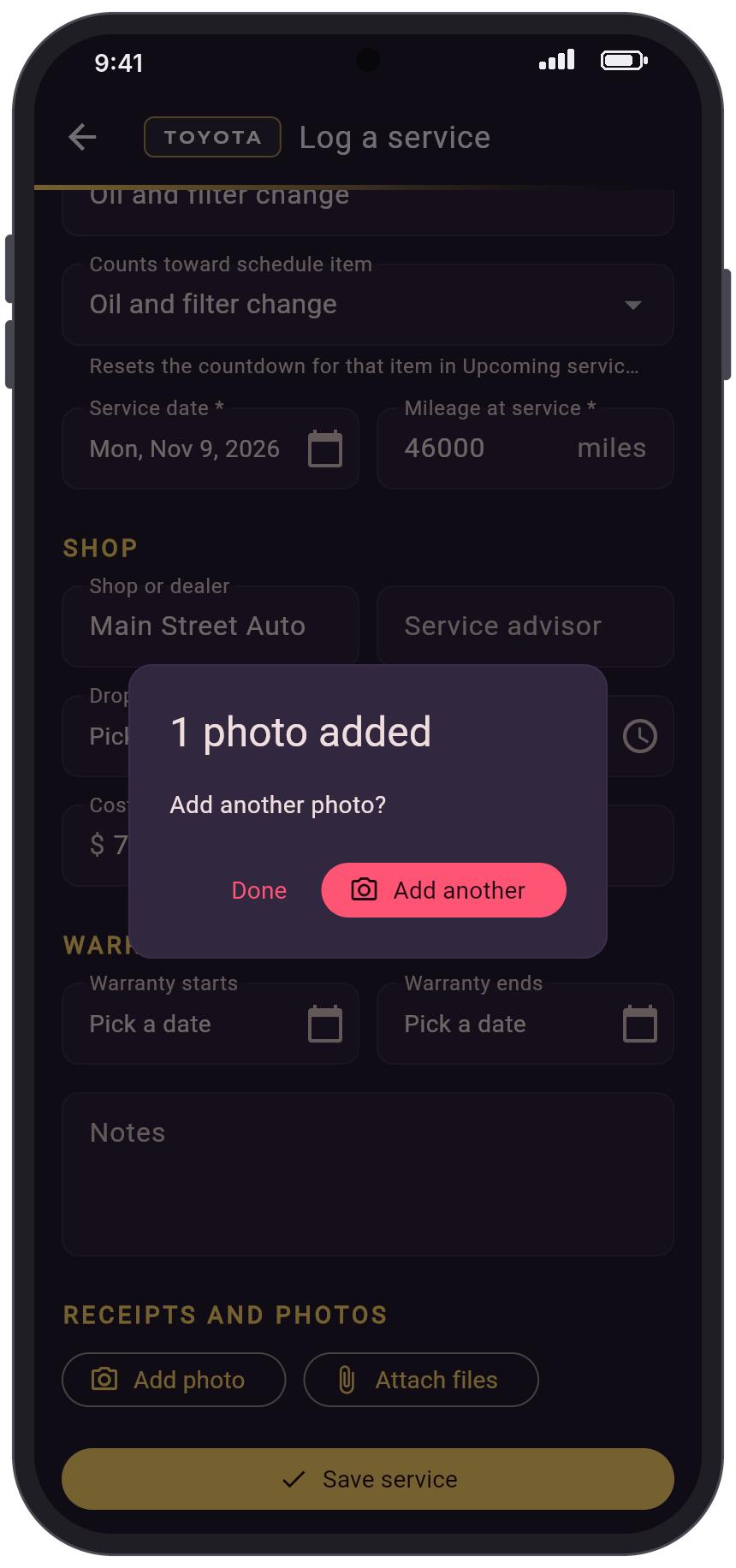
Eight themes. Every section its own color.
Pick one from the palette button in the showroom. Upcoming services, mileage, fuel, documents and service history each get their own color, so a long car page is easy to find your way around.
See it in action.
Scroll sideways for more.
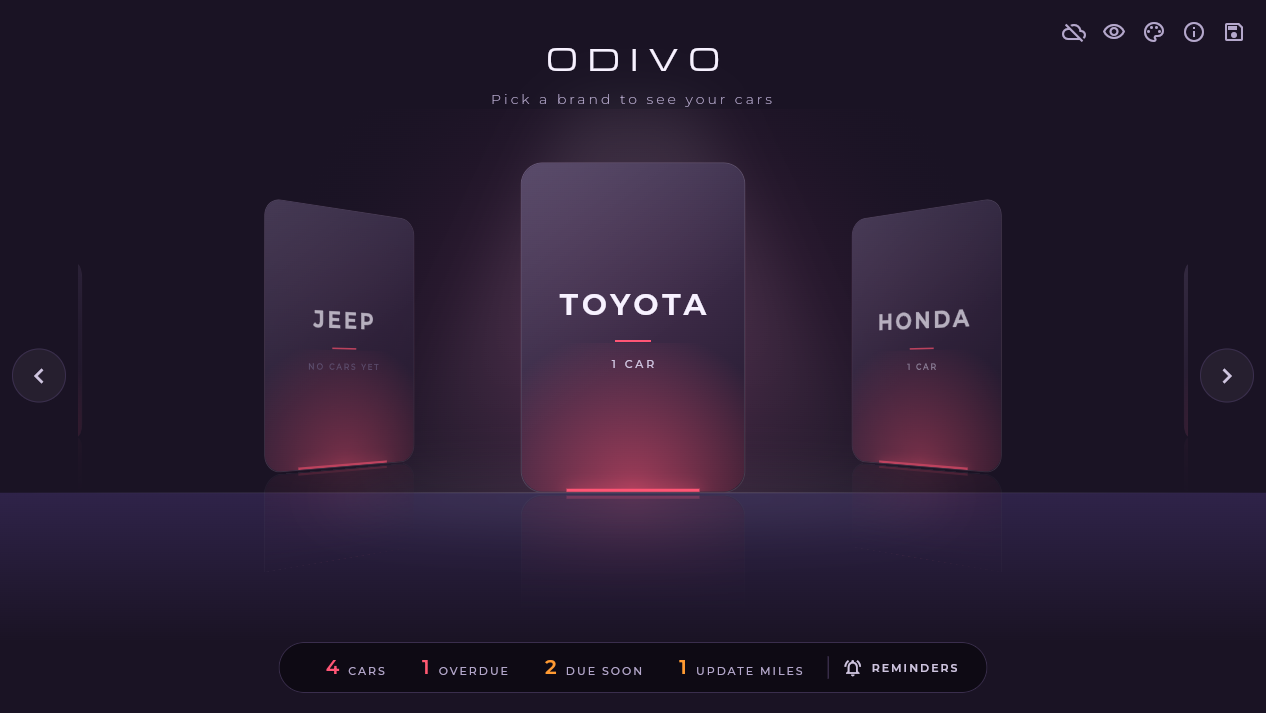
What you need
- For the Windows app: 64-bit Windows 10 or 11
- Or any up-to-date browser, on a computer or phone, at odivoapp.com
- No account. For sync, your own Microsoft account and OneDrive
- Internet only for the optional VIN lookup, recall check and sync
Private by design
There's no Odivo account and no Odivo server. Your garage stays on your PC or in your browser, or in your own OneDrive if you turn on sync. Your cars and documents are never sent to bitsbybm.com or odivoapp.com.
No ads, no sign-up, no trackers. Every Windows installer is code-signed, with its SHA-256 listed on the download page.

Know what your car needs, before it needs it.
Get the Windows installer, its checksum and the full version history on the Odivo page at bitsbybm.com. Or open Odivo in your browser right now.